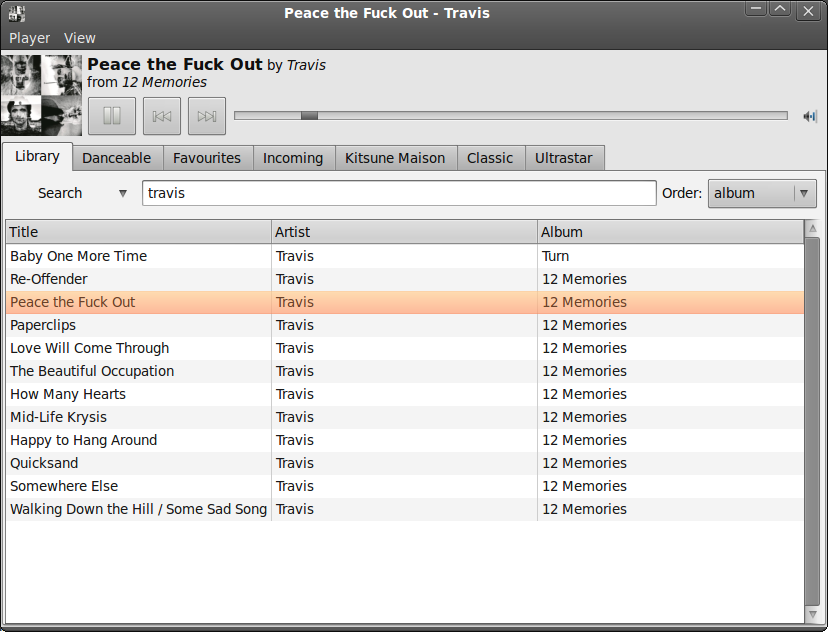
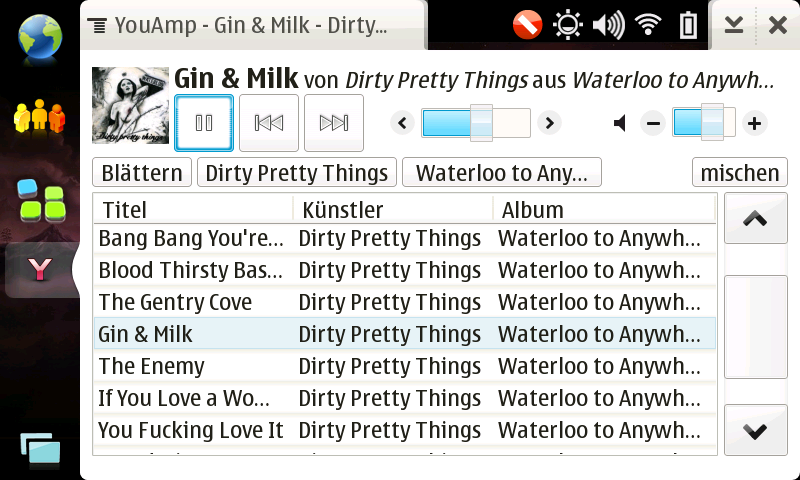
YouMP is a small an light music player concentrating on playback capabilities and aiming at desktop integration for the Gnome desktop.
If you are interested in the Maemo specific version look here.
It is meant as an alternative to the all in one mediacenter applications, so you will not find video support or tag editing here. Instead I will try to keep the UI small and simple.
- browse mode
- search mode
If the music title is displayed in red it means that no ReplayGain Information could be found and the default of -10db is being used.
Features
- intuitive music browsing
- Album Art display
- last.fm submission
- Replaygain Support with smart replaygain mode selection
- gapless playback
- uses Tracker for searching
- plays everything that Gstreamer understands
- intuitive drag’n'drop
Download
Currently there are no “regular” tarballs available, but there is a YouMP PPA for Ubuntu.
Usage
YouMP does not automatically download cover art – instead it looks for an image in the same folder as the current musc file. So if you want it to display the cover, you have to manually put it in the album folder.
While playing the music YouMP might display the song info in red; this indicates that the song does not contain any replaygain information, which are needed in order to normalise the volume. You can add replaygain information to your files using replaygain and vorbisgain on Linux or foobar2000 on Windows.
By default replaygain scanners normalize the volume to 89db – if you would like to change this to another value, use the Replaygain Preamp Slider in the preferences. Non normalized files are mostly around 100db, therefore YouMP applies by default a -10db amp to them – if you would like to change that use the No Replaygain Amp Slider in the preferences.
Code
The player is written in Python using pygtk and pygst. You can find more information at launchpad.net. Any contributions are welcome.