Beyond the Raspberry Pi for Nextcloud hosting

When using Nextcloud it makes some sense to host it yourself at home to get the maximum benefit of having your own cloud.

If you would use a virtual private server or shared hosting, your data would still be exposed to a third party and the storage would be limited as you would have to rent it.

When setting up a server at home one is tempted to use a Raspberry Pi or similar ARM based device. Those are quite cheap and only consume little power. Especially the latter property is important as the machine will run 24/7.

I was as well tempted and started my self-hosting experience with an ARM based boards, so here are my experiences.

Do not use a Raspberry Pi for hosting

Actually this is true for any ARM based board. As for the Pi itself, only the most recent Pi 4B has a decent enough CPU and enough RAM to handle multiple PHP request (WebCAL, Contacts, WebDAV) from different clients without slowdown.
Also only with the Pi 4B you can properly attach storage over USB3.0 – previously your transfer rates would be limited by the USB2.0 bus.

One might argue that other ARM based computers are better suited. Indeed you could get the decently equipped Odroid U3, long before the Pi 4B was available.
However, non-pi boards have their own set of problems. Typically, they are based on an Smartphone design (e.g. the Odroid U3 essentialy is a Galaxy Note 2).

This makes them plagued by the Android update issues, as these boards require a custom kernel, that includes some of the board specific patches which means you cannot just grab an Ubuntu ARM build.
Instead you have to wait for a special image from the vendor – and just as with Android, at some point, there will be no more updates.

Furthermore ARM boards are actually not that cheap. While the Pi board itself is indeed not expensive at ~60€, you have to add power-supply housing and storage.

Intel NUC devices are a great choice

While everyone was looking at cheap and efficient ARM based boards, Intel has released some great NUC competitors.
Those went largely unnoticed as typically only the high-end NUCs get news coverage. It is more impressive to report how much power one can cram into a small form-factor.

However one can obviously also put only little power in there. More precisely, Intels tablet celeron chips that range around 4-6W TDP and thus compete with ARM boards power-wise. (Still they are an order of magnitude faster then a Raspberry Pi)

DevicePower (Idle)Power (load)
Odroid U33.7 W9 W
GB-BPCE-3350C4.5 W9.6 W

Here, you get the advantages of the mature x86 platform, namely interchangeable RAM, interchangeable WiFi modules, SATA & m2 SSD ports and notably upstream Linux compatibilty (and Windows for that matter).

As you might have guessed by the hardware choice above, I made the switch already some time ago. On the one hand you only get reports for the by now outdated N3350 CPU – but on on the other hand it makes this a long term evaluation.

Regarding the specific NUC model, I went with the Gigabyte GB-BPCE-3350C, which are less expensive (currently priced around 90€) than the Intel models.

Consequently the C probably stands for “cheap” as it lacks a second SO-DIMM slot and a SD-card reader. However it is fan-less and thus perfectly fine for hosting.

So after 2 Years of usage and a successful upgrade between two Ubuntu LTS releases, I can report that switching to the x86 platform was worth it.

If anything I would probably choose a NUC model that also supports M.2/ M-Key in addition to SATA to build a software RAID-1.
Ubuntu on the Lenovo D330

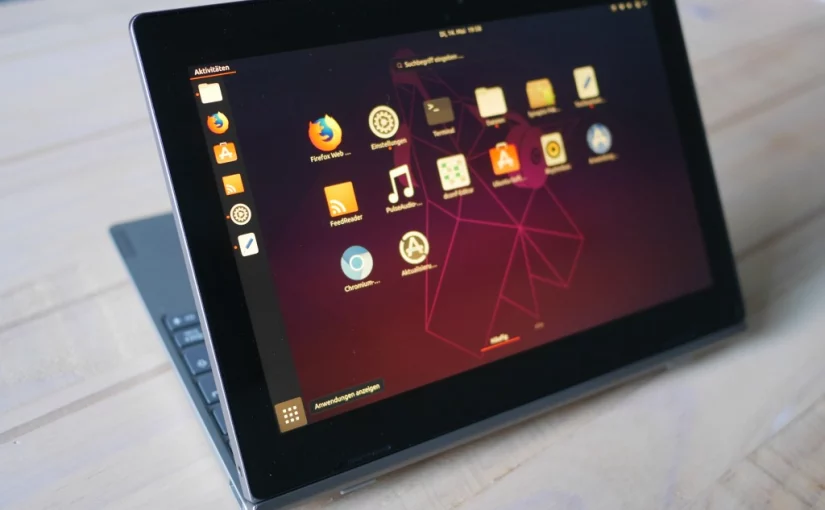
The Lenovo D330 2-in-1 convertible (or netbook as we used to say) is a quite interesting device. It is based on Intels current low-power core platform, Gemini Lake (GLK), and thus offers great battery-life and a fan-less design.

This similar to what you would from an ARM based tablet. However being x86 based and Windows focused we can expect to get Ubuntu Linux running – without requiring any out-of-tree drivers or custom kernels that never get updated as we are used-to from the ARM world.
This post will be about my experiences on doing so.

For this I will use the most recent Ubuntu 19.04 release as it contains fractional scaling support, which is essential for a 10″ 1920x1200px device. Also the orientation sensor (mostly) works out of the box, when compared to the 18.04 LTS release.

Continue reading Ubuntu on the Lenovo D330

meCoffee PID controller Review for the Rancilio Silvia

The Rancilio Silvia Espresso Machine has one major weakness: the high fluctuation of the default thermostat.
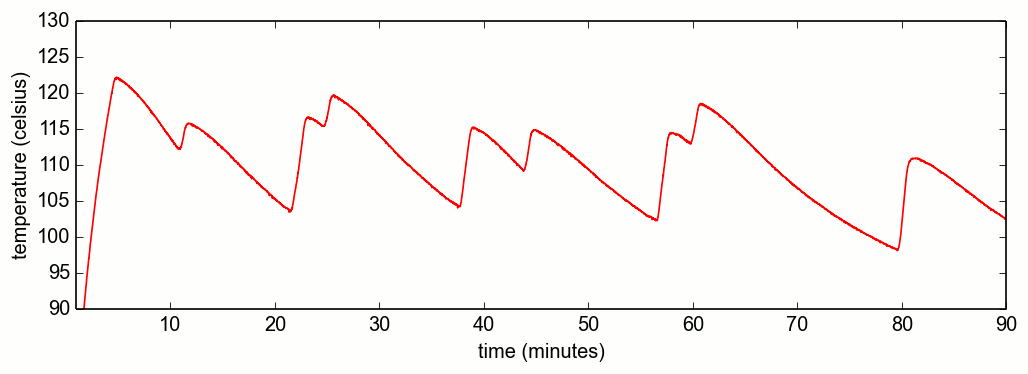
The taste of the espresso already varies with temperature deviations as small as 1°C, but the thermostat of the Silvia V3, V4 has a range of ~20°C (~30°C for Silvia V1, V2).

a thermostat having a hard time keeping the target temperature of 110°C

So to get a decent tasting espresso one need to predict the heating phase of the boiler, which is called temperature surfing. However this involves wasting water and one also needs the right timing which is especially difficult for beginners.

PID Controlled Temperature

A better solution to is to replace the default thermostat with a digital one. This means adding microcontroller that will monitor the temperature using the PID algorithm. This way you always have the right temperature – without surfing. Furthermore the microcontroller can be used to add some fancy features to the machine like preinfusion or a shot timer.

Continue reading meCoffee PID controller Review for the Rancilio Silvia

Repairing the Philips HD4685 Kettle

The Philips HD4685 is one of the more advanced kettles, as not only automatically shuts-off when the water is boiled, but also allows setting a target temperature below 100°C. This is quite handy if you want to drink green tea, which is supposed to be boiled with only 80°C warm water. Unfortunately the extra electronics is another part which can make the Kettle fail. And this is exactly what happened to me.

Symptoms

I used the kettle for about 3 years on daily basis. One day however it stopped to make the “beep” which indicates that the water is ready when cooking at 100°C. But as this is not an essential functionality I just kept using the kettle. Unfortunately a few weeks later it did not cook at 100°C at all. Instead the kettle just turned off after reaching 80°C – even though 100°C were set.

Diagnosis

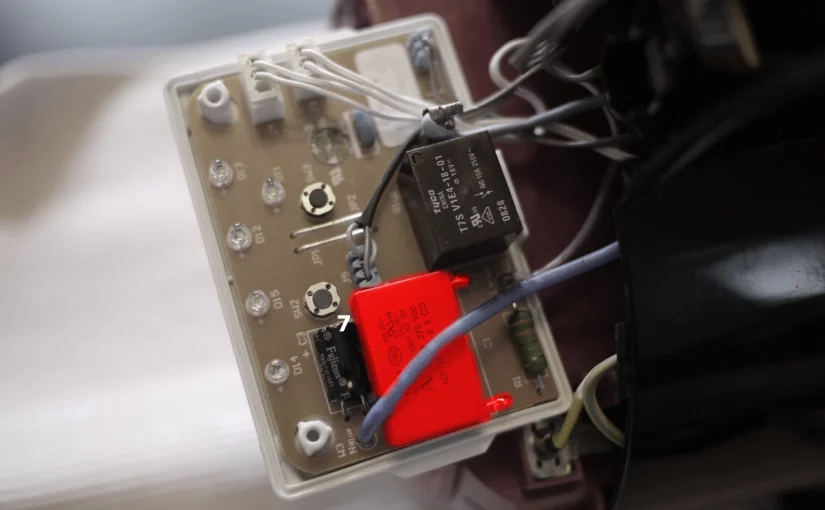
Under the hood one of the capacitors forming the capacitive power supply for the electronics started failing. Instead of supplying 0.47 μF, it merely supplied 0.1μF. So what was happening is that once more power consumer like the 100°C LED and the speaker were activated the power supply broke down and the whole circuit shut down.

So the solution is to replace the respective capacitor.

Therapy

Before you try to fix the kettle on your own, be aware that wrong assembly of the kettle can lead to a short-circuit that can cause a fire or lead to an electric shock. You should have fundamental knowledge of electrical engineering.

To access the faulty capacitor one must first disassemble almost the whole kettle:

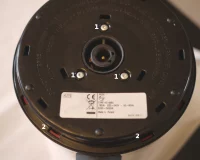
  1. remove the screws on the bottom cover (torx 8)
  2. lever out the bottom plate with a flat screwdriver
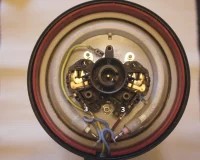
  3. disconnect the power supply cables
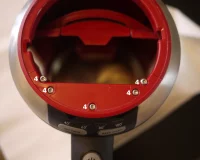
  4. remove the screws on the top cover (torx 10). Then remove the top cover and the metallic ring. Also remove the handle cover.
  5. Pull out the electronics box, which is now free as you disconnected the power cables(3)
  6. unscrew and open the electronics box.
  7. replace the capacitor C1. (requires soldering) The capacitor specifications are MKP X2, 26.5 x 10 x 19 mm, 0.47 µF 275 V/AC ±10%, 22.5 mm pitch

For reassembly perform the steps in reverse order. The kettle should work now.

I would like to give credit to the according thread at elektronikwerkstatt.de, where I found the informations to create this post.

Final Words

I am not really sure if this is a case of planned obsolescence or just of insufficient testing, but I would really like philips to use higher quality capacitors and/ or rethink their power supply design. The kettle which is worth 50€ is still fully functional and just failed because of a 1€ part.

Update 12-1-2019
After 4 years, I had to open the kettle again – this time to remove some fine chalk gathered in the sealing, causing the kettle to leak. The 1€ capacitor still works though.